What Is Keyboard Ghosting and NKRO? (And How to Test Yours)
Keyboard ghosting is when you hold several keys at once and one or more simply don't register. It's a limitation of how many keyboards are wired — and it's the reason a cheap board can feel unreliable in games. Here's what's actually happening, and how to measure your keyboard's limit in seconds.

What ghosting actually is
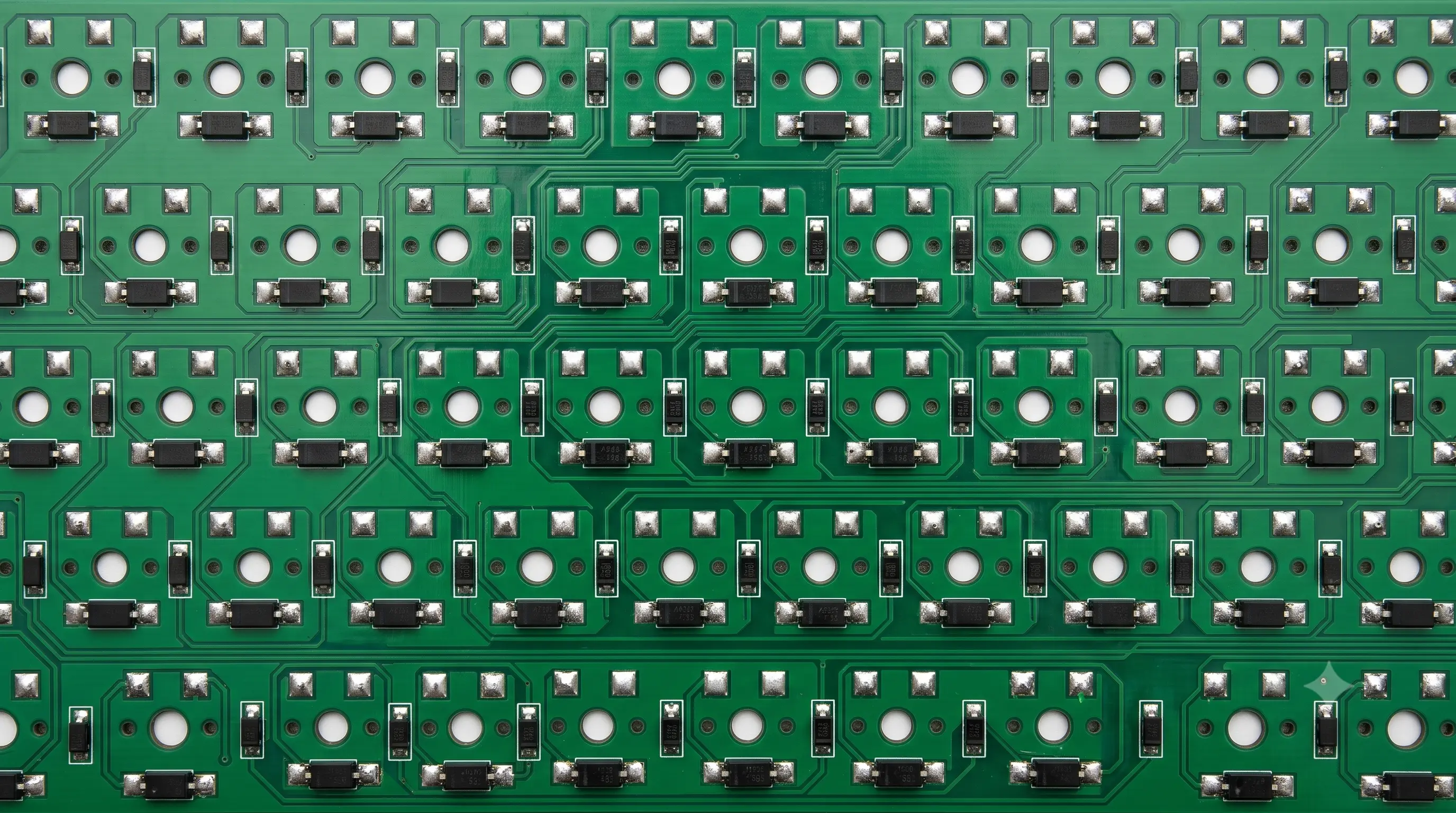
Inside most keyboards the keys sit on a grid of intersecting wires called a matrix. The controller scans that grid, row by row, to see which switches are closed. When you hold several keys that share rows and columns, the controller can get an ambiguous reading — so it either drops a keypress you made (ghosting) or blocks new presses entirely until you let go (jamming, sometimes called "blocking"). Either way, an input you physically made never reaches the computer.
The name comes from the classic symptom: press three keys that share a matrix rectangle and afourth, "phantom" key you never touched can appear to register — a ghost input conjured purely by the electrical layout. Manufacturers fix this in one of two ways: adding a small diode behind every switch so current can only flow one direction (blocking the phantom path), or scanning the matrix fast enough with firmware clever enough to disambiguate most combinations. Boards with a diode per switch are the ones that can honestly claim full NKRO. For the underlying electronics in more depth, see Wikipedia'skey rolloverarticle.
Rollover: 2KRO, 6KRO and NKRO
Rollover is how many keys a keyboard can report at the same time without losing any:
- 2KRO — basic membrane boards; pressing a third key can jam the controller.
- 6KRO — the USB standard: six regular keys plus modifiers (Shift/Ctrl/Alt) at once. Fine for typing and most gaming.
- NKRO (N-key rollover) — every key is reported independently, with no cap. Found on gaming and enthusiast mechanical boards, usually via a diode per switch.
"6-key rollover" is the ceiling of the standard USB HID keyboard boot protocol; NKRO lifts it, typically by having the keyboard report over a different USB interface that isn't bound by the 6-key limit. Many NKRO boards ship in 6KRO / "BIOS" mode by default for compatibility with systems that only understand the boot protocol (like a PC's boot screen or BIOS setup, hence the name) and expose a toggle — oftenFn + N, or a setting in the manufacturer's software — to switch to full NKRO once you're in the OS.
Does wireless change anything?
Yes, often for the worse. Many 2.4GHz dongles and most Bluetooth HID implementations cap out at 6KRO regardless of what the keyboard's internal matrix supports, because they still tunnel through the standard HID boot protocol. If a board advertises NKRO, check whether that claim is wired-only — it's one of the most common gaps between a spec sheet and real-world performance.
How to test your keyboard's rollover
You don't need software — do it in the browser. Open theanti-ghosting test, click the box, and hold down as many keys as you can at once. The counter shows how many registered simultaneously, and the log records every burst so you can see exactly which keys dropped.
Try it now: open the anti-ghosting test and hold down your usual gaming combo. If any key drops out of the log, you've found your board's real-world limit — not just the number on the box.
- Test the clusters you actually use — for gaming, try
W A S D+Spaceplus an action key. - If the count stalls at 3–4, that's basic 2KRO and you'll feel dropped inputs in games.
- If it climbs past six and keeps rising as you add fingers, you have proper anti-ghosting (NKRO).
- Plug in directly — USB hubs and KVM switches can force a board back down to 6KRO.
- Repeat over Bluetooth or a wireless dongle if that's how you normally use the board — the result can differ from the wired test above.
- Use two hands and press keys in quick succession rather than all at once — that mirrors real typing and gaming better than a single simultaneous slam.
When ghosting actually matters
For everyday typing, even a 2KRO board is usually fine — you rarely hold more than a couple of keys at once. It matters most for gaming (holding forward, strafe and jump while pressing a fourth action), for fast typists whose keystrokes overlap, and for anyone usingchorded input methods (like stenography software) that depend on many simultaneous keys being read correctly. If your keys work individually but drop out under load, that's rollover — not a fault — and the rollover test will show you where your board tops out. If a key fails even on its own, that's a different problem: seekeyboard keys not working.